
Claude code Mods
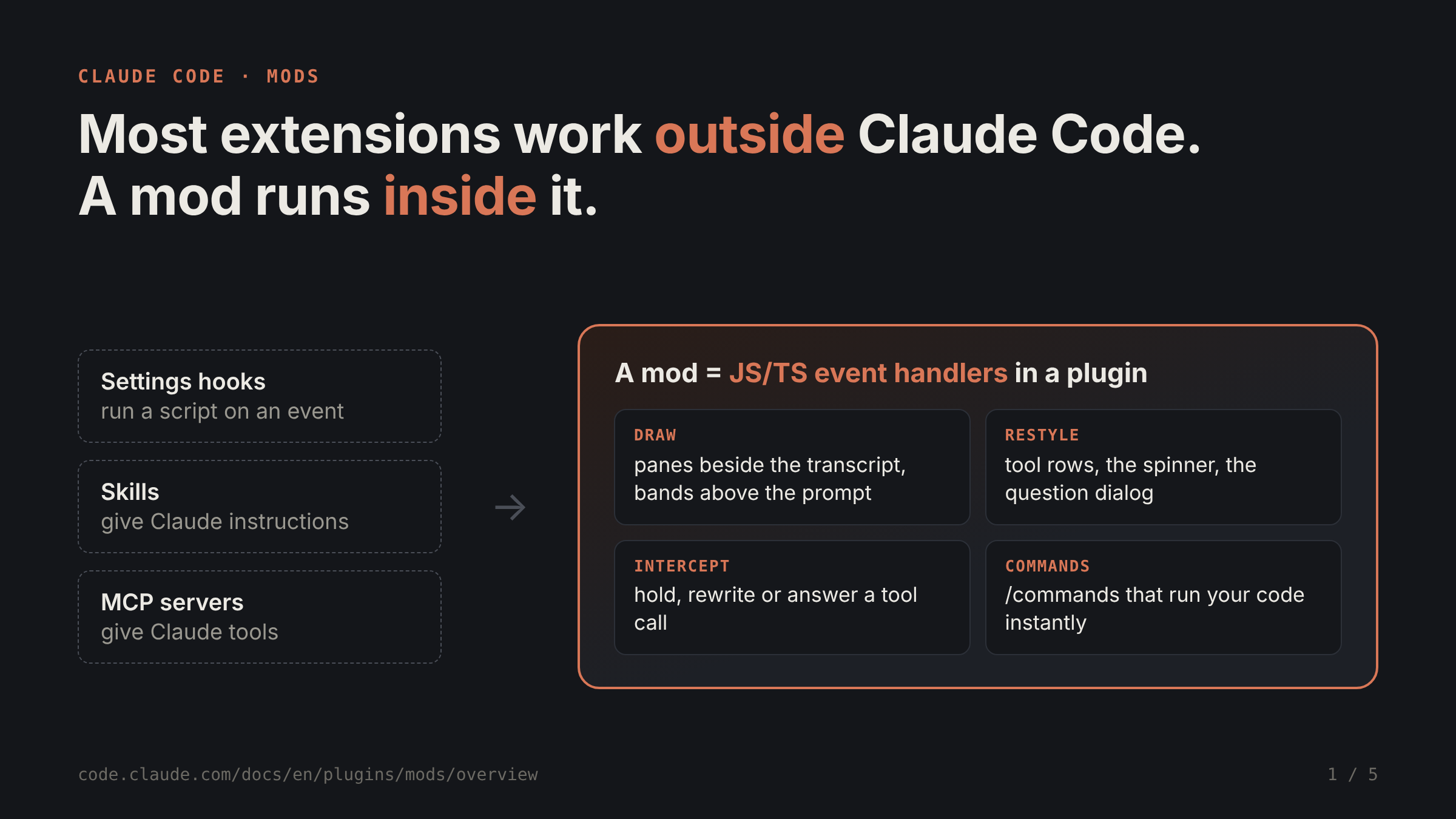
Until now, almost every way to extend Claude Code worked from the outside. Settings hooks run a shell script on an event. Skills give Claude instructions. MCP servers give Claude tools. All useful, but none of them can touch the interface or step into what Claude Code is doing.
A mod runs inside Claude Code. It’s a plugin made of JavaScript or TypeScript event handlers, and Claude Code calls them when something happens: a tool call, a prompt you submit, or part of the screen being drawn.
That opens up a few things that weren’t possible before:
Draw your own UI, like a pane beside the transcript or a band above the prompt, with buttons and text fields
Restyle parts Claude Code draws itself, such as tool call rows or the spinner
Hold a tool call, rewrite it, or answer it without running the tool
Add a /command that runs your code instantly, even while Claude is working
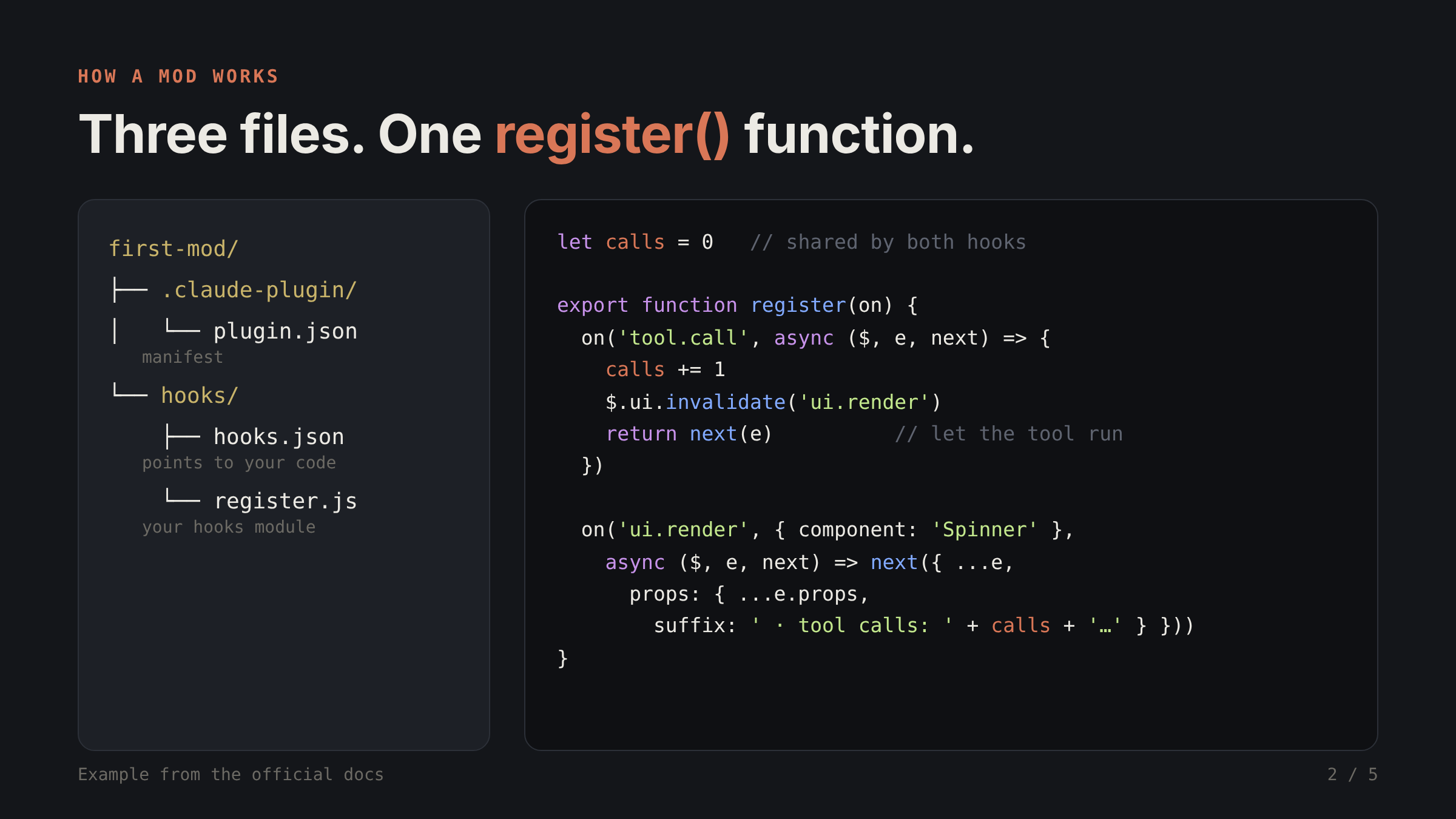
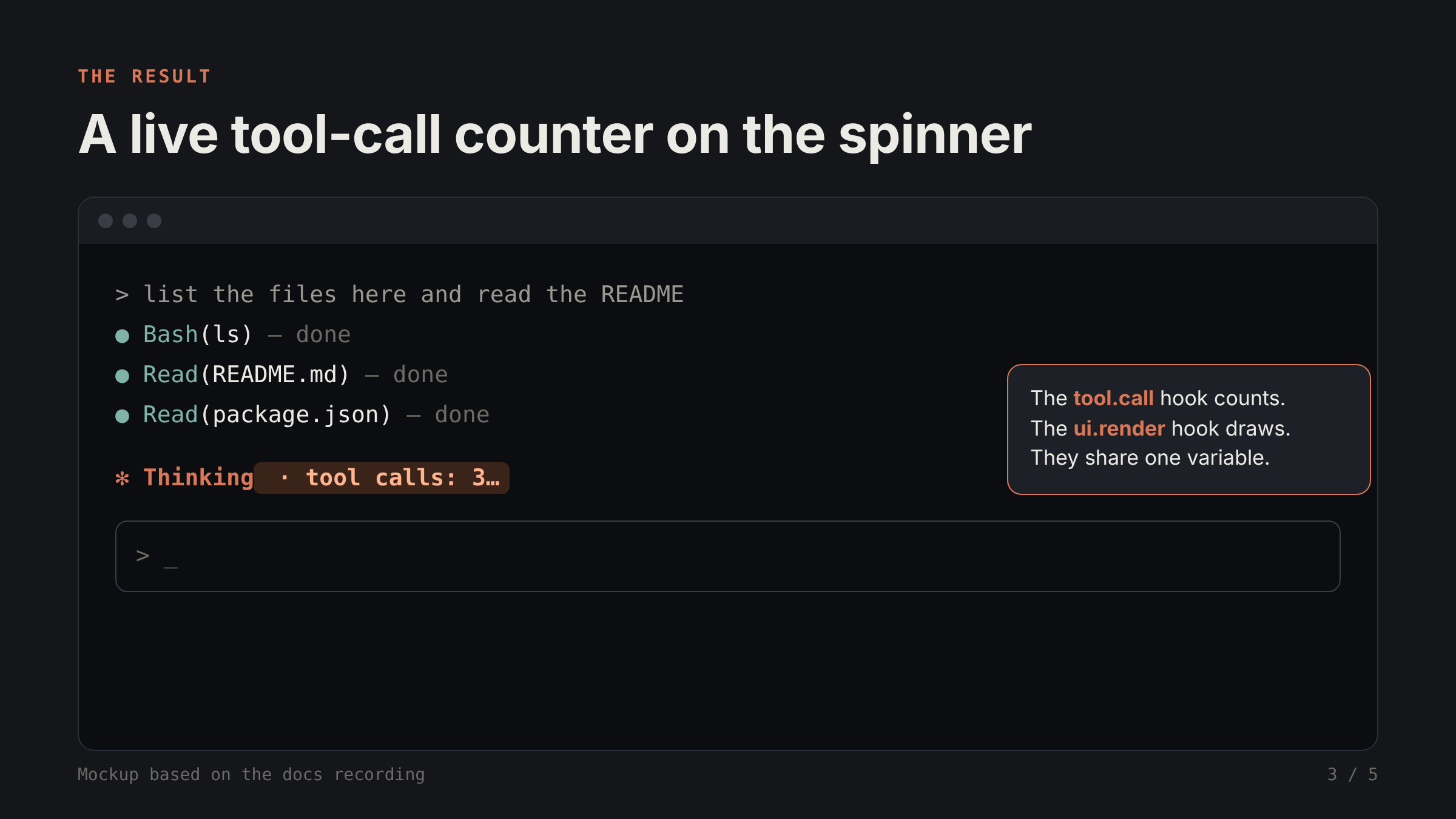
A minimal mod is just three files: plugin.json, hooks.json, and register.js. The example in the docs counts tool calls and shows the count next to the spinner. One hook (tool.call) increments a variable. Another (ui.render) reads that variable and appends it to the spinner text. Because both hooks live in the same file, they share state for free. That’s the part that clicked for me.
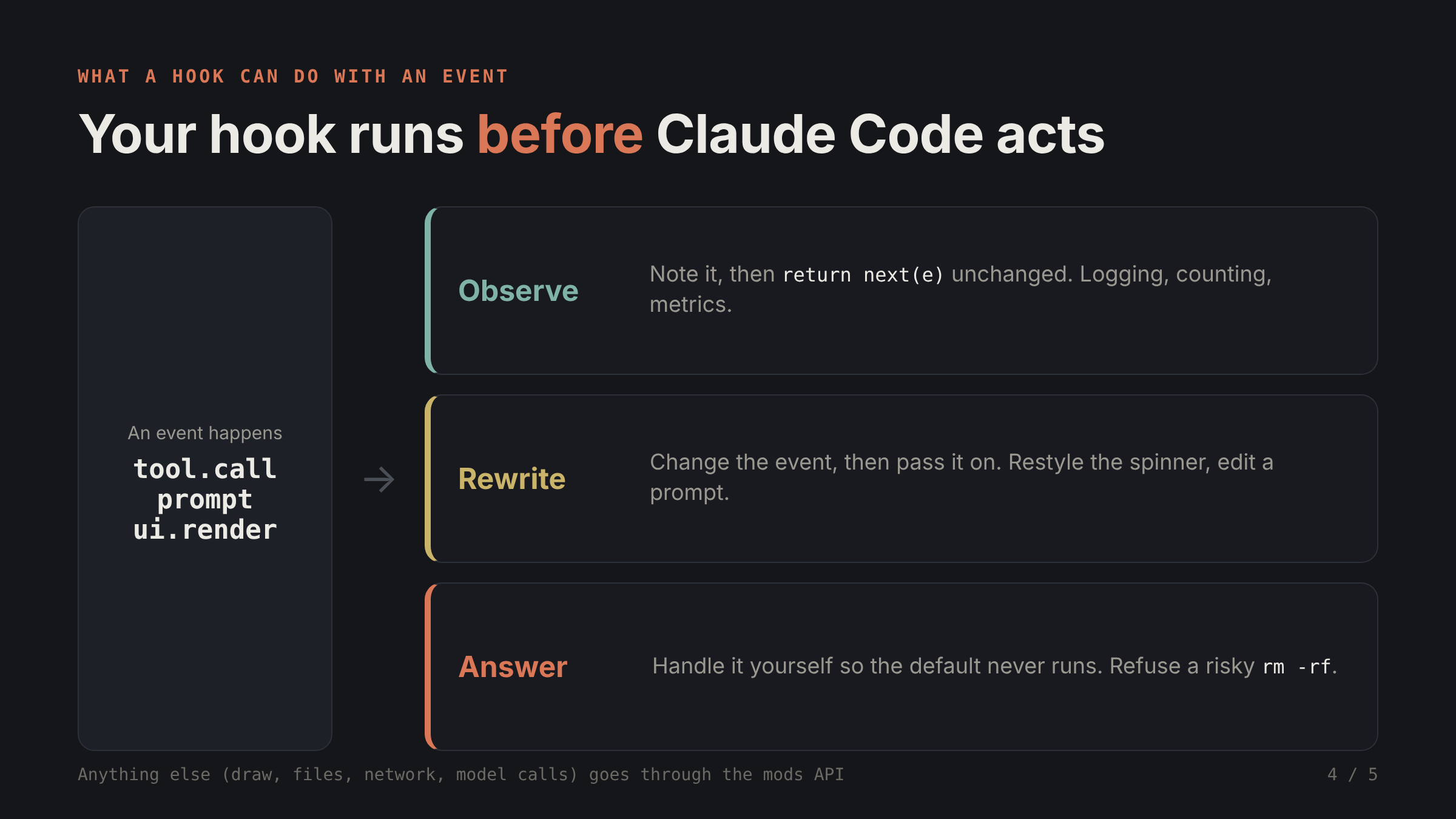
Every hook runs before Claude Code acts on the event, so it gets to decide what happens next. It can:
Observe: log or count, then let the event continue unchanged
Rewrite: modify the event and pass it on
Answer: handle the event itself, so the default behavior never runs
Anything beyond that (drawing, reading files, network calls, calling a model) has to go through the mods API. That’s also why you can inspect a mod before installing it.
So when should you use which? My takeaway from the comparison table:
Use a skill when you keep pasting the same instructions
Use MCP when Claude needs to reach an external system
Use a settings hook when you just want to block, allow or log an event with a script you already have
Use a mod when you want UI, a custom command, or to rewrite what’s happening
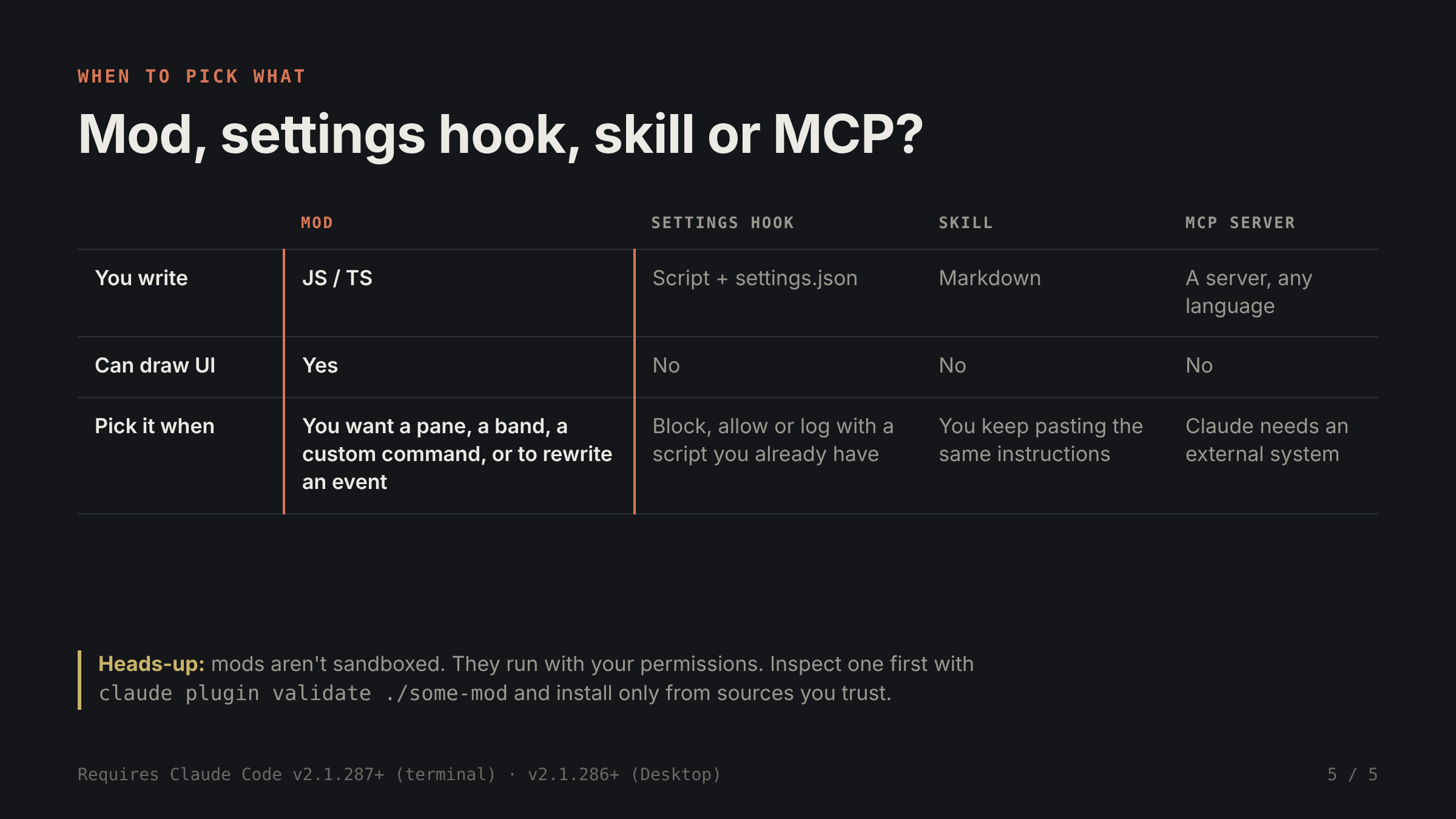
One important caveat: mods are not sandboxed. They run with your permissions. That means a mod can read your files and env vars, see every prompt, and even auto-approve tool calls. Before installing one, run claude plugin validate ./some-mod to see which events it hooks and which calls it makes. Only install from sources you trust.
If you want to try it, Anthropic has sample mods in the claude-code-playground repo. Examples include token-weather (a context-window forecast above the prompt), blast-radius (holds risky commands like rm -rf or a force push and asks before running them), and replay-theater (steps through the last turn’s file edits). You need Claude Code v2.1.287+ in the terminal, or v2.1.286+ in the Desktop app.
Full docs: https://code.claude.com/docs/en/plugins/mods/overview
Has anyone here built a mod yet? I’m curious what people use them for.