
Run Claude Code in a box it cannot leak out of: NVIDIA OpenShell puts files, network and API keys behind a written policy
TL;DR
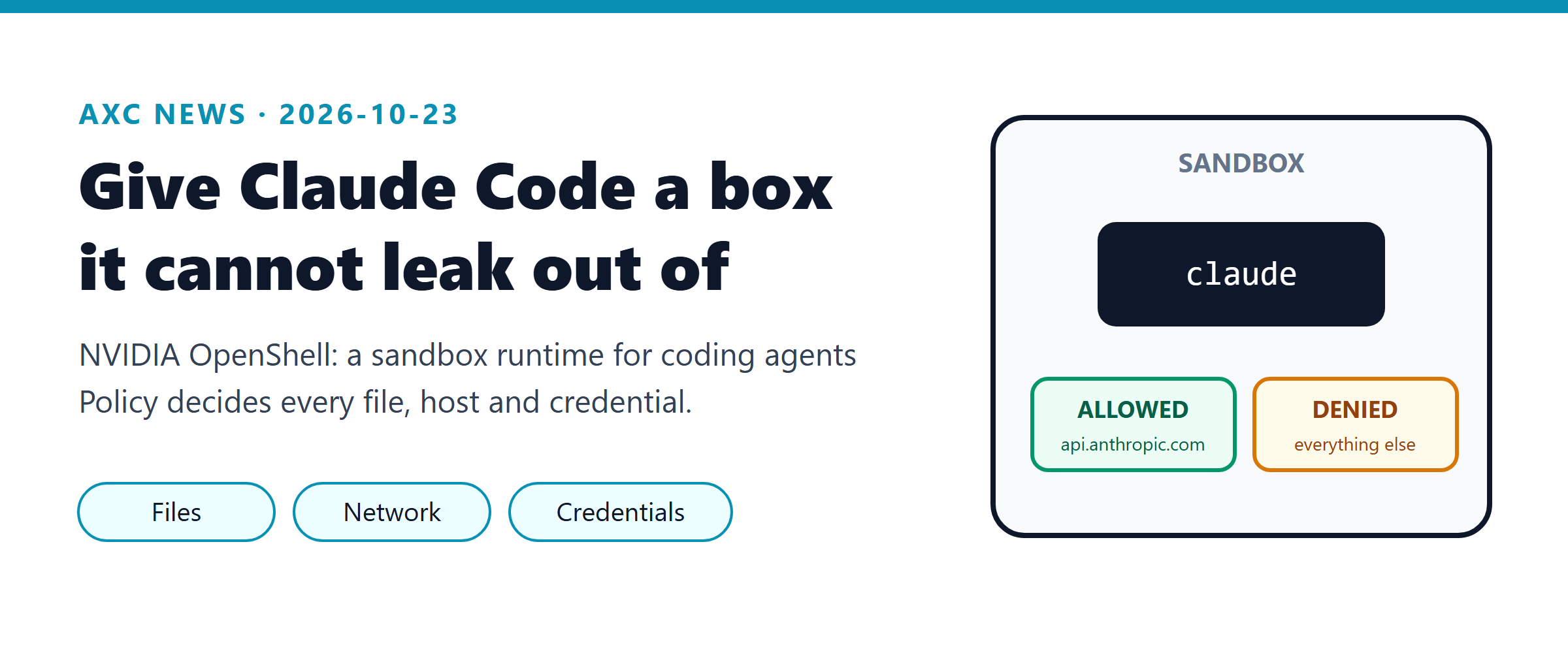
What: NVIDIA OpenShell (Apache-2.0, about 17.8k stars, version 0.1.5) is an open-source runtime that starts a coding agent such as Claude Code inside a locked-down container. A written policy decides which files, hosts and credentials the agent can touch.
Why you care: the agent only ever sees a placeholder for your API key, all outbound traffic is denied unless the policy allows it, and every connection is logged. You stop relying on "I will read every permission prompt carefully".
Time to try: about 15 minutes on macOS (Apple Silicon) or Linux with Docker. On Windows it runs inside WSL 2, which is marked experimental.
Sound familiar?
It is 4 p.m. and you ask Claude Code to "check why the integration tests fail on the new payment client". It reads the test, then the config, then wants to run a script it found in the repo. You click "allow". Then it wants to curl an endpoint. You click "allow" again. By the tenth prompt you are not reading any more.
Now think about what that session could reach. Your ~/.aws folder. The .env file with the staging database password. The real ANTHROPIC_API_KEY in its own environment. And the whole internet. Our company policy says data must not leave the company environment, but on a normal laptop the only thing that enforces that is your attention at the end of a long day.
OpenShell changes that scene. You start the same claude command, but inside a sandbox. The agent can read and write its working folder. It can talk to api.anthropic.com, because the Claude Code provider allows that. When it tries to reach anything else, the request is denied, logged, and turned into a rule proposal that you can approve or reject from a second terminal. The agent never holds your real key at all.
What it is and how it works
OpenShell is "the safe, private runtime for fleets of autonomous AI agents", in the words of its README. In plain terms: a small control plane plus a container sandbox, built so that an agent can install packages, call APIs and use credentials without getting unrestricted access to your data, secrets or network. It reached 308 points on Hacker News on October 22, and version 0.1.5 shipped on October 20 as part of the new "stable release cadence" of the 0.1.x line.
An analogy helps. Think of a hotel room key card. The guest (the agent) can open their own room and the gym. The card simply does not work on other doors, and the front desk (the gateway) logs every swipe. If the guest needs the conference room, they ask the front desk, and a person decides.

There are four parts to know:
Part | What it does | Where it runs |
|---|---|---|
Gateway | Stores policies and credentials, creates sandboxes, checks every policy change before it applies | Your machine (Homebrew service on macOS, package on Linux) or Kubernetes |
Sandbox | An isolated container with the agent as its main process | Docker, Podman, Kubernetes or a MicroVM |
Supervisor | Applies kernel controls and runs the network proxy inside each sandbox | Inside the sandbox, separate from the agent |
Provider | A named credential plus the hosts and programs allowed to use it | Stored in the gateway |
Some terms you will meet in the docs:
Landlock is a Linux kernel feature that limits which files a process can open. OpenShell needs Landlock ABI 3, which arrived in Linux 6.2.
seccomp limits which system calls a process can make.
OCSF (Open Cybersecurity Schema Framework) is a standard format for security events. OpenShell writes its allow and deny decisions in this format, so a SIEM can read them.
Policy prover: before a new rule applies, the gateway checks it with formal verification and flags risky new access, for example a new host that would receive credentials.
The default policy, according to the docs, is strict: the working folder is read-write, /usr, /etc, /lib and a few others are read-only, /tmp is read-write, and all outbound network access is denied. Attached providers add only the hosts they need. The example Claude Code provider allows api.anthropic.com, plus statsig.anthropic.com and sentry.io for the CLI's telemetry and error reports, and only for the programs at /usr/bin/claude or /usr/local/bin/claude.
The credential part is the clever bit. The supervisor gives the agent an opaque placeholder instead of your key. The proxy swaps in the real x-api-key header only on requests to the hosts in the provider profile. So even if a prompt injection convinces Claude to print its environment, or to send the key to some other server, the value it can leak is worthless.
Try it in 5 minutes
The quick path is three steps: install OpenShell, start Claude Code inside a sandbox, and watch what the policy allows and denies. Step 2 has some one-time setup (an image and a provider), so plan for about 15 minutes the first time.
Note: All commands below come from the official OpenShell v0.1.5 docs and the Claude Code setup docs. For this article we did not run OpenShell on a company machine, so treat your first run as a trial and report anything that differs.
Prerequisites
macOS on Apple Silicon with Docker Desktop, or Linux (kernel 6.2 or newer with Landlock enabled) with Docker Engine 28 or newer. Windows: WSL 2 with Docker Desktop, marked experimental in the support matrix. Run every command in your WSL Ubuntu terminal, not in PowerShell.
An Anthropic Console API key. The OpenShell docs state clearly that a Pro or Max subscription login does not work here; you need a key from the Claude Console.
About 2 GB of free disk for the image.
Step 1: Install OpenShell
curl -LsSf https://raw.githubusercontent.com/NVIDIA/OpenShell/main/install.sh | shThe installer sets up the openshell CLI and a local gateway. On macOS it uses Homebrew and runs the gateway as a Homebrew service at https://localhost:17670; on Linux it uses Debian or RPM packages.
Tip: You prefer to read a script before you run it? Download it first:
curl -LsSf https://raw.githubusercontent.com/NVIDIA/OpenShell/main/install.sh -o install.sh, read it, then runsh install.sh.
OpenShell collects anonymous operational telemetry by default. To turn it off, set OPENSHELL_TELEMETRY_ENABLED=false on the gateway (see the Telemetry page in the docs).
Step 2: Start Claude Code inside a sandbox
The default sandbox image is a minimal Ubuntu with no agent in it, so first build a small image that contains Claude Code. Save this as Dockerfile in an empty folder. It installs Claude Code from Anthropic's signed apt repository, as described on the Claude Code setup page:
FROM ubuntu:24.04
RUN apt-get update && apt-get install -y --no-install-recommends ca-certificates curl git \
 && install -d -m 0755 /etc/apt/keyrings \
 && curl -fsSL https://downloads.claude.ai/keys/claude-code.asc -o /etc/apt/keyrings/claude-code.asc \
 && echo "deb [signed-by=/etc/apt/keyrings/claude-code.asc] https://downloads.claude.ai/claude-code/apt/stable stable main" \
    > /etc/apt/sources.list.d/claude-code.list \
 && apt-get update && apt-get install -y claude-code \
 && rm -rf /var/lib/apt/lists/*
USER ubuntu
docker build -t claude-agent:latest .
docker run --rm claude-agent:latest which claudeThe second command should print /usr/bin/claude or /usr/local/bin/claude. That matters: the provider profile only lets those exact paths use your key. If you see another path, copy the profile file, add your path to binaries, and import it with -f instead of --url.
Next, import the Claude Code provider profile and store your key in a provider:
openshell profile import --url https://raw.githubusercontent.com/NVIDIA/OpenShell/main/providers/claude-code.yaml --global
ANTHROPIC_API_KEY=<your-console-key> openshell provider create --name my-claude --type claude-code --from-existing
Writing the key on the same line exports it only to that one command. Now start the sandbox, with Claude Code as its main process:
openshell sandbox create --name box --from claude-agent:latest --provider my-claude -- claudeClaude Code opens in your terminal as usual. It runs inside the sandbox, and its working folder is /sandbox. If Claude asks whether to use the API key it found, say yes: what it found is the placeholder.
Step 3: See what got blocked
Inside Claude, ask for something the policy does not allow:
Run curl -sI https://example.com and tell me what happened.Then open a second terminal on your machine and run:
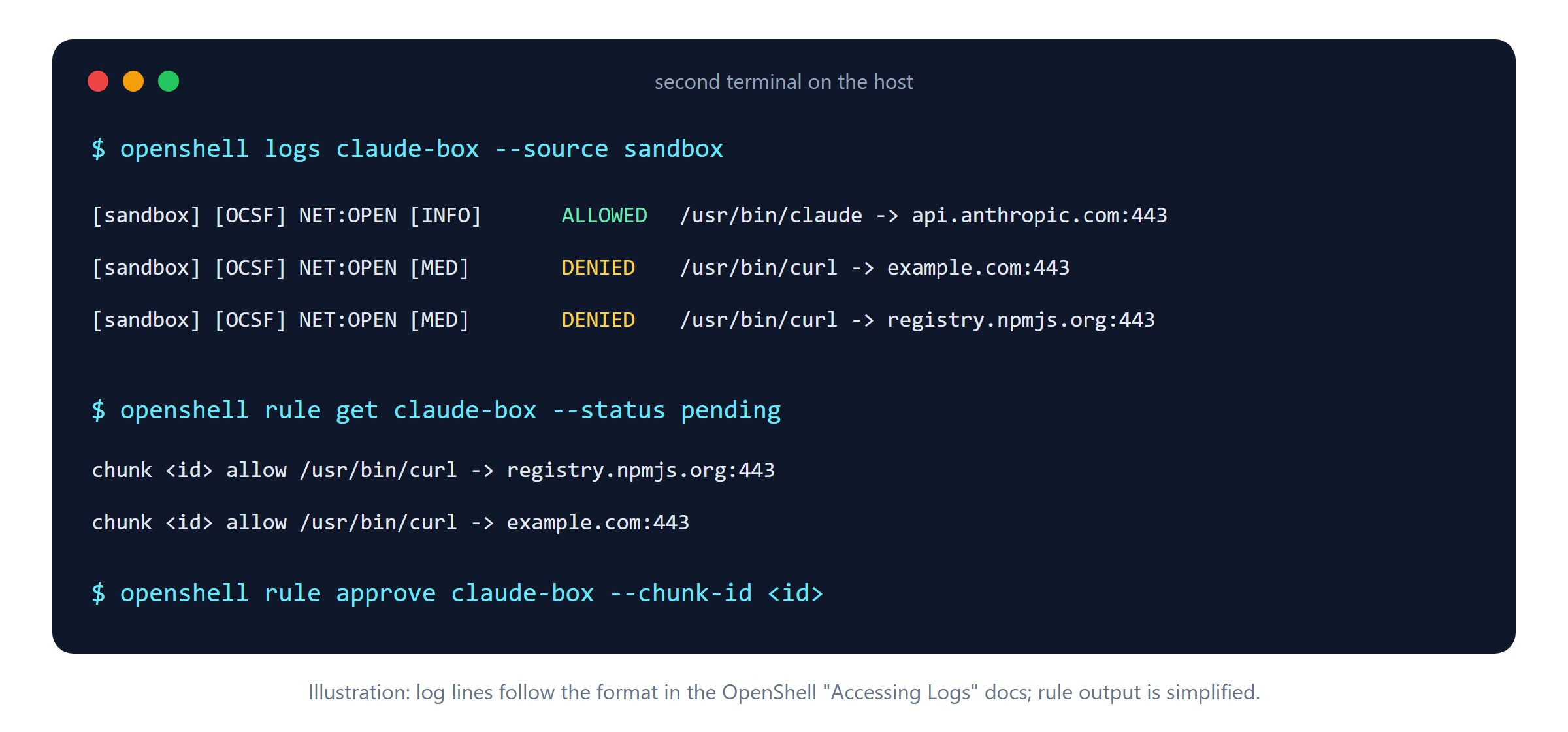
openshell logs box --source sandbox
openshell rule get box --status pending
What you will see: log lines in the documented format, NET:OPEN ... ALLOWED for Claude's own traffic to api.anthropic.com:443, and NET:OPEN [MED] DENIED /usr/bin/curl -> example.com:443 for the blocked request. The rule list shows a drafted proposal for that host. Approve it with openshell rule approve box --chunk-id <chunk-id> only if you really want that access; approved rules reload without a restart.
When you are done, remove the sandbox with openshell sandbox delete box.
Before and after
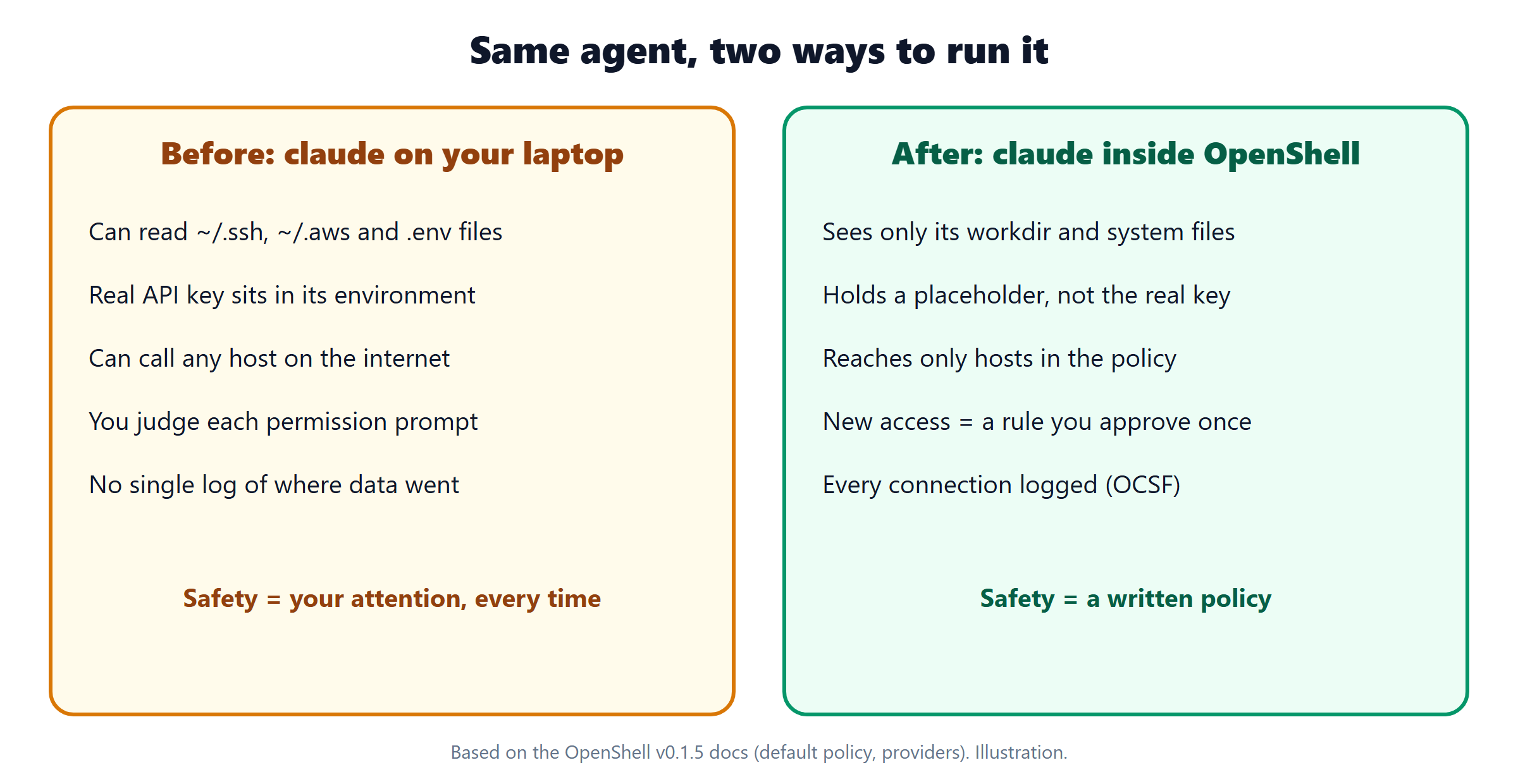
Claude Code directly on your laptop | Claude Code inside OpenShell | |
|---|---|---|
Files it can read | Everything your user account can read | Working folder plus read-only system paths (default policy) |
Your API key | Real value in its environment | Placeholder; real key added only for |
Outbound network | Any host, unless you set up Claude Code's own sandbox | Deny by default; provider hosts only |
Asking for new access | A prompt per command, every session | One rule proposal, approved once, hot-reloaded |
Audit trail | Session transcript only | OCSF allow and deny events per connection |
Setup time | 0 minutes | About 15 minutes the first time (estimate), seconds after that |
Note: Claude Code already has its own sandbox for Bash commands (
/sandbox), with file and network limits. The difference is scope. Claude Code's sandbox limits the commands Claude runs; OpenShell puts the whole agent, including theclaudeprocess and its credentials, inside the boundary. One Hacker News commenter made the same point: the harness itself should run inside the sandbox, not only the commands it starts. The two can work together.
Going deeper: 3 real-world scenarios
1. Reviewing code you do not trust
Situation: a partner sends a zip with an integration module and asks for a quick review. You want Claude's help, but the README could contain a prompt injection that tells the agent to send files somewhere.
Command:
openshell sandbox create --name review --from claude-agent:latest --provider my-claude --detach -- sleep infinity
openshell sandbox upload review ./partner-module
openshell sandbox exec -n review --tty -- claude
The docs note that --upload cannot yet be combined with a main command, so you create the sandbox, upload, then start Claude with sandbox exec.
What happens: Claude reads and reviews the code. If an injected instruction makes it call an unknown host, the request is denied and appears in openshell logs review.
Why it is better: the worst case changes from "data left the building" to "a DENIED line in the log". Delete the sandbox when the review is done.
2. Letting the agent install packages, one registry at a time
Situation: you want Claude to fix a failing test in a Node project, which means npm install. The default policy blocks registry.npmjs.org.
Command: let it fail once, then in the second terminal:
openshell rule get box --status pending
openshell rule approve box --chunk-id <chunk-id>
What happens: the policy advisor groups recent denials by host, port and calling program and drafts a narrow rule, for example "allow /usr/bin/npm to registry.npmjs.org:443". The gateway checks it with the policy prover before you see it. After approval it hot-reloads and Claude retries.
Why it is better: you build the allow-list from real needs instead of guessing it upfront. rule approve-all exists too, and it skips proposals with a security flag unless you add --include-security-flagged.
3. Pushing to one repository and nothing else
Situation: you want the agent to open a branch and push a fix to a scratch repository, but you do not want it to push anywhere else with your token.
Command (from the official tutorial):
GITHUB_TOKEN=<fine-grained-token> openshell provider create --name my-github --type github --from-existing
openshell sandbox create --name github-demo --from claude-agent:latest --provider my-claude --provider my-github -- claude
What happens: the GitHub profile allows clone and fetch, but not git-receive-pack, the HTTP call behind git push. The push fails with a clear DENIED POST .../git-receive-pack line. You then add a policy that allows writes to that one repository with openshell policy set, as the tutorial shows.
Why it is better: a stolen or misused token cannot push to other repositories through this sandbox, because the network layer, not the token scope alone, decides. For our GitLab, the same idea applies with a custom profile; the docs show how to copy and edit one.
Pro tips
Use two terminals. Terminal 1 runs the agent; terminal 2 runs
openshell logs <name> --source sandboxand therulecommands. The tutorials are written this way.Try the dashboard.
openshell termshows policy decisions live in a terminal UI.Check the effective policy.
openshell policy get box --fullshows the base policy plus what your providers added. Do this before you trust a sandbox with real work.Drop the telemetry hosts if policy requires it. The Claude Code profile allows
statsig.anthropic.comandsentry.io. The profile file itself says you can remove them if your policy forbids that traffic. Copy the file, delete the two endpoints, import with-f.Pin your image. Use the
stableapt channel (as in the Dockerfile above) so the whole team gets the same, about one-week-old, Claude Code version.Ephemeral runs for scripts.
openshell sandbox create --no-keep -- claude -p "reply with OK"runs once and deletes the sandbox afterwards. The profile's own smoke test usesclaude -p 'reply with OK'.Limit resources. Add
--cpu 2 --memory 4Giso a runaway build does not freeze your laptop.Ask your agent about OpenShell. The docs offer an MCP server at
https://docs.nvidia.com/openshell/_mcp/server, so Claude Code can look up OpenShell docs while you set things up.
Caveats and limits
Windows is experimental. Only WSL 2 with Docker Desktop on x86_64 is listed, and it is marked "Experimental". macOS is Apple Silicon only.
No ready-made Claude Code image. You build and maintain your own image. The README's two-command quick start creates an empty Ubuntu sandbox, not a Claude one.
API key, not subscription. You need a Claude Console API key, which is billed per token. Team or Max subscription logins do not work through the provider.
Young project. Version 0.1.x, with four releases between September 28 and October 20. The docs warn about breaking changes before 0.1.0, and pages for older versions disagree on details. Check the version you install.
Telemetry is on by default. It is anonymous and limited to counts, according to the README, but some HN commenters were unhappy about the default. Turn it off with
OPENSHELL_TELEMETRY_ENABLED=false.A container is not a VM. Several HN commenters pointed out that default containers are weaker isolation than a virtual machine. OpenShell adds Landlock, seccomp and a proxy on top, and also supports a MicroVM driver, but it does not make a laptop a secure enclave.
Allowed hosts can still leak data. If the policy allows a host, the agent can send data there. Keep the allow-list short and review rule proposals carefully, especially flagged ones.
Do not paste secrets into the sandbox by hand. The value of OpenShell is that keys stay in providers. A key typed into Claude's chat is just text again.
Company rules still apply. Running the installer pulls software from GitHub and container images from public registries. Check with your team lead before you install it on a machine with customer data.
Claude Quick Hits
Agent Skills moves to the Agentic AI Foundation. Anthropic is donating the Agent Skills standard (the SKILL.md folder format) to the Linux Foundation's Agentic AI Foundation, where MCP already lives. The spec stays at agentskills.io, and Anthropic says more than 70 agent platforms support it, with about 1 million skills published. Nothing changes in your skill files today. How to try: read the spec at https://agentskills.io and check that your team's skills follow it. Source: https://www.anthropic.com/news/donating-agent-skills-to-the-agentic-ai-foundation
Claude Code 2.1.309: sandbox fixes and two behavior changes. The October 22 release fixes many sandbox and permission edge cases (for example, Bash startup files running outside the sandbox on macOS and Linux). Two changes may affect scripts: sed -i now gets the normal Bash prompt and is no longer restored by /rewind, and claude ultrareview now needs workspace trust; scripts pass --trust-workspace. How to try: claude update, then search your CI scripts for ultrareview. Source: https://github.com/anthropics/claude-code/releases/tag/v2.1.309
The full Claude Platform on Google Cloud. "Claude Models on Google Cloud (Anthropic managed)" is generally available: the Claude API run by Anthropic, reached through your Google Cloud project, with Google Cloud IAM for access and Google Cloud billing. New features and betas arrive on the same day as on the Claude Platform, and Fast mode works for Claude Opus 5.5. How to try: open the offering in Google Cloud Marketplace if your project runs on GCP. Source: https://claude.com/resources/articles/claude-models-on-google-cloud-anthropic-managed
AI Tool Radar
Repo/Tool | What it does (1 line) | Stars (growth) | License | Effort to try |
|---|---|---|---|---|
Official command-line tool for the OpenAI REST API | 1,057 (HN 231 points) | Apache-2.0 | 5 min | |
Self-hosted "AI coworkers", each with its own browser, files and audited tools | 6,949 (+75 today, trending TypeScript) | MIT | 1 hour |
openai/openai-cli
Why it's hot: 231 points on Hacker News on October 22, and five releases (v1.40.0 to v1.40.4) between October 21 and 23. It is the API tool, not the Codex coding agent.
Best for: anyone who scripts against the OpenAI API, for example batch jobs or comparing providers in CI.
Quick try:
brew install openai/tools/openai, setOPENAI_API_KEY, thenopenai models list --format jsonl.Watch out: it needs an OpenAI API key, and sending company data to it falls under the same data rules as any external AI API.
CopilotKit/OpenBot
Why it's hot: trending in TypeScript today. It gives each agent its own computer and sends every tool call through one gateway that decides and records it, a similar idea to OpenShell at the application level.
Best for: platform teams exploring internal agent assistants on their own infrastructure.
Quick try: clone it,
cp .env.example .env && bun install, then follow the README's CopilotKit Intelligence login steps.Watch out: the README calls it alpha and "a template, not a product". It needs a CopilotKit Intelligence project (free plan available) and a model key.
Today's challenge
Run one real task with Claude Code inside OpenShell. Pick something small from your backlog, for example "add a unit test for the date parser" in a scratch copy of a repo.
Done when: you can show (1) the task finished inside the sandbox, (2) at least one DENIED line from openshell logs, and (3) the rule you approved or rejected, with one sentence on why. Share a screenshot of your terminal 2 in the team channel, with any secrets and internal hostnames masked.
Further reading
OpenShell docs, Run Your First Agent: https://docs.nvidia.com/openshell/latest/about/run-your-first-agent
OpenShell tutorial, Grant GitHub Push Access to a Sandboxed Agent: https://docs.nvidia.com/openshell/latest/tutorials/github-push-access
OpenShell Default Policy and Baseline Paths: https://docs.nvidia.com/openshell/latest/how-it-works/policies/default-policy
Hacker News discussion (162 comments): https://news.ycombinator.com/item?id=50198675
Sources
https://github.com/NVIDIA/OpenShell
https://github.com/NVIDIA/OpenShell/releases/tag/v0.1.5
https://github.com/NVIDIA/OpenShell/blob/main/providers/claude-code.yaml
https://news.ycombinator.com/item?id=50198675
https://docs.nvidia.com/openshell/latest/about/installation
https://docs.nvidia.com/openshell/latest/about/support-matrix
https://docs.nvidia.com/openshell/latest/about/run-your-first-agent
https://docs.nvidia.com/openshell/latest/how-it-works/sandboxes/overview
https://docs.nvidia.com/openshell/latest/how-it-works/providers/overview
https://docs.nvidia.com/openshell/latest/how-it-works/policies/default-policy
https://docs.nvidia.com/openshell/latest/observability/accessing-logs
https://docs.nvidia.com/openshell/latest/tutorials/github-push-access
https://code.claude.com/docs/en/setup
https://www.anthropic.com/news/donating-agent-skills-to-the-agentic-ai-foundation
https://github.com/anthropics/claude-code/releases/tag/v2.1.309
https://claude.com/resources/articles/claude-models-on-google-cloud-anthropic-managed
https://platform.claude.com/docs/en/release-notes/overview
https://github.com/openai/openai-cli
https://news.ycombinator.com/item?id=50191507
https://github.com/CopilotKit/OpenBot
https://github.com/trending?since=daily